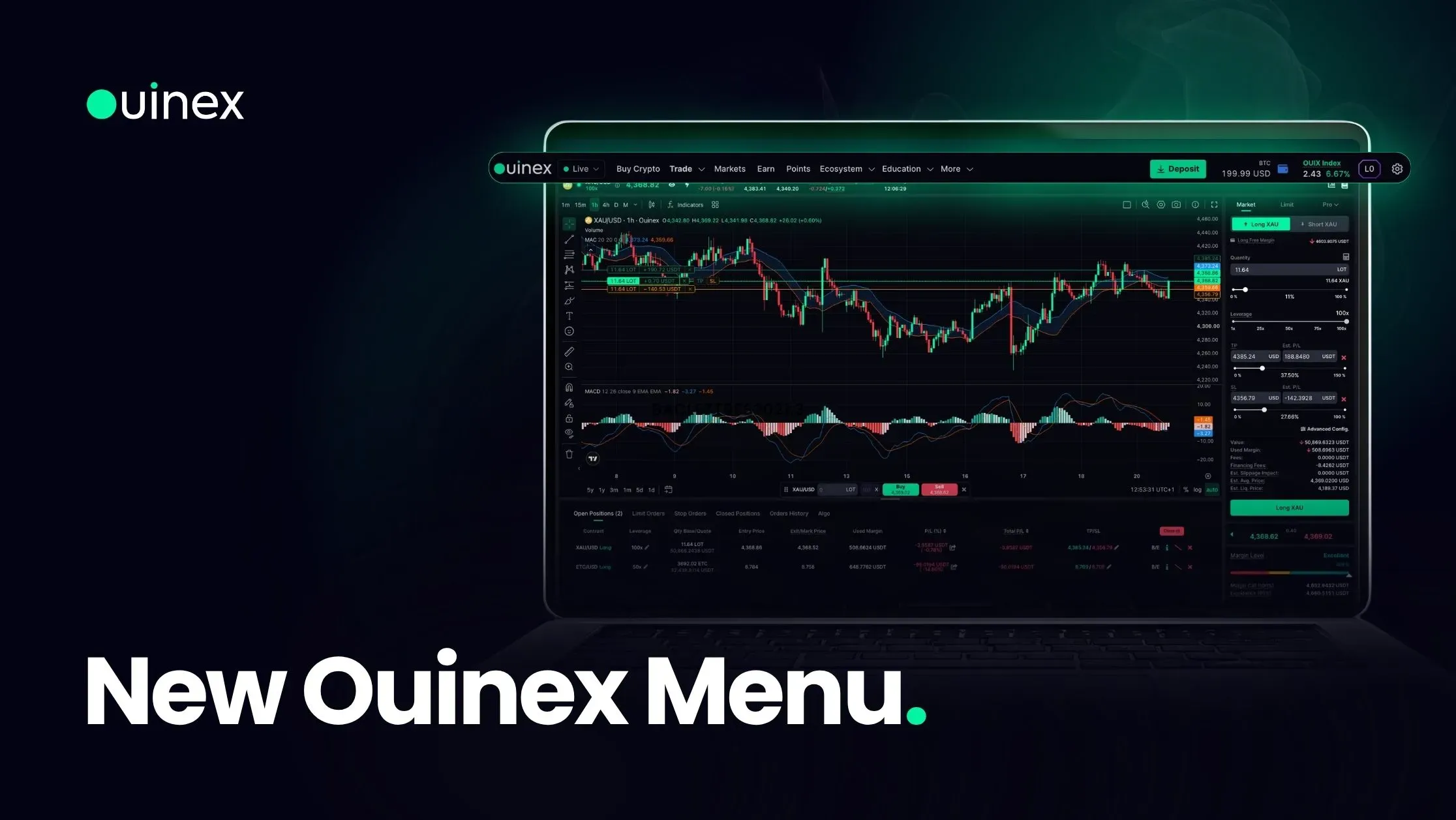
If you knew the old menu, the fastest way to update is to read it left to right once. Everything is where it now is for a reason, and the reasons are mostly about reducing the number of clicks between you and the thing you were looking for.
Watch the walkthrough: How to Navigate the New Ouinex Menu
Left to right
Live / Demo. The mode switch sits first, at the far left. This is deliberate. It is the setting with the highest cost of being wrong, so it is the one you see before anything else. Check it before you place an order, particularly if you have been practising on a demo account.
Buy Crypto. Convert or purchase crypto directly.
Trade. Spot and Derivatives.
Markets. Every available instrument, for browsing rather than trading.
Earn. Putting assets to work.
Points. The SocialFi programme, now reachable from the top level rather than buried. Track your NEX Points and complete tasks from one place. This is the most significant promotion in the new menu, a section that people were not finding is now impossible to miss.
Ecosystem. Everything that was there before, plus a new API & Docs tab. That tab is a shortcut straight to the API Keys section of your account settings, with a link through to the full reference at api.ouinex.com, covered in detail in the API and docs guide.
Education. New in 4.35. Academy, Blog, Glossary and FAQ, gathered into one menu instead of being scattered across the site.
More. Trading Hours, Algo Trading, Fees, Safety of Assets, Partnership and Our Team.
The two changes that matter most
Education is now a menu. Before 4.35, the learning material existed but had no single entry point in the platform navigation. Four surfaces, the Academy, the Blog, the Glossary and the FAQ, are now one click from anywhere.
The Glossary is the one worth knowing about if you do not already. It carries definitions for the terms that appear across the platform, and it is the fastest way to resolve an unfamiliar word without leaving what you were doing.
The platform and the website are connected. From the Live platform menu you can jump straight to the website; from the website you can go straight back to the platform. Previously these were two destinations you reached separately, and the practical effect was that people trading on the platform rarely saw the reference material on the website, and vice versa.
Where things went
If you are looking for something that used to be elsewhere:
Looking for | Now under |
|---|---|
NEX Points, SocialFi tasks | Points, top level |
API keys | Ecosystem → API & Docs |
Academy articles | Education → Academy |
Glossary definitions | Education → Glossary |
Help and FAQs | Education → FAQ |
Market opening times | More → Trading Hours |
Fee structure and OUIXPower calculator | More → Fees |
Bots and automation | More → Algo Trading |
How funds are held | More → Safety of Assets |
The habit worth forming
Check the Live/Demo switch before every session.
The menu makes the mode obvious, which is an improvement on having to remember. But the failure it prevents, placing a real order believing you were practising, or practising when you meant to trade, is expensive enough that it is worth a deliberate glance rather than a trust in the interface. It takes a second and it is the only item in this article that can cost you money.
FAQ
Where are NEX Points in the new Ouinex menu? Under Points, at the top level of the menu. The SocialFi programme is no longer inside a submenu. You can track points and complete tasks directly from there.
Where do I find the Ouinex Academy and Glossary? Under Education, which is new in 4.35 and contains the Academy, Blog, Glossary and FAQ in one menu.
How do I switch between Live and Demo mode? Use the switch at the far left of the menu, before all other items. It is the first thing in the navigation, and it is worth checking at the start of every session.
Where are the API keys? Under Ecosystem → API & Docs. That tab opens the API Keys section of your account settings and links through to the full API reference.
Can I get to the Ouinex website from the trading platform? Yes. The platform and the website are linked in both directions from 4.35, from the Live platform menu you can go straight to the website, and from the website straight back to the platform.
The bottom line
The new menu is shallower than the old one: Points came up a level, Education became a menu of its own, and the website stopped being somewhere you had to go looking for. Read it left to right once, note that Live/Demo is the first item, and you have it. Everything else in the 4.35 release is listed in the changelog.