The fix is one small movement of the slider. The reason is worth thirty seconds of your time, because it explains a category of rejection that used to be confusing.
What the spread is, and why a level inside it cannot work
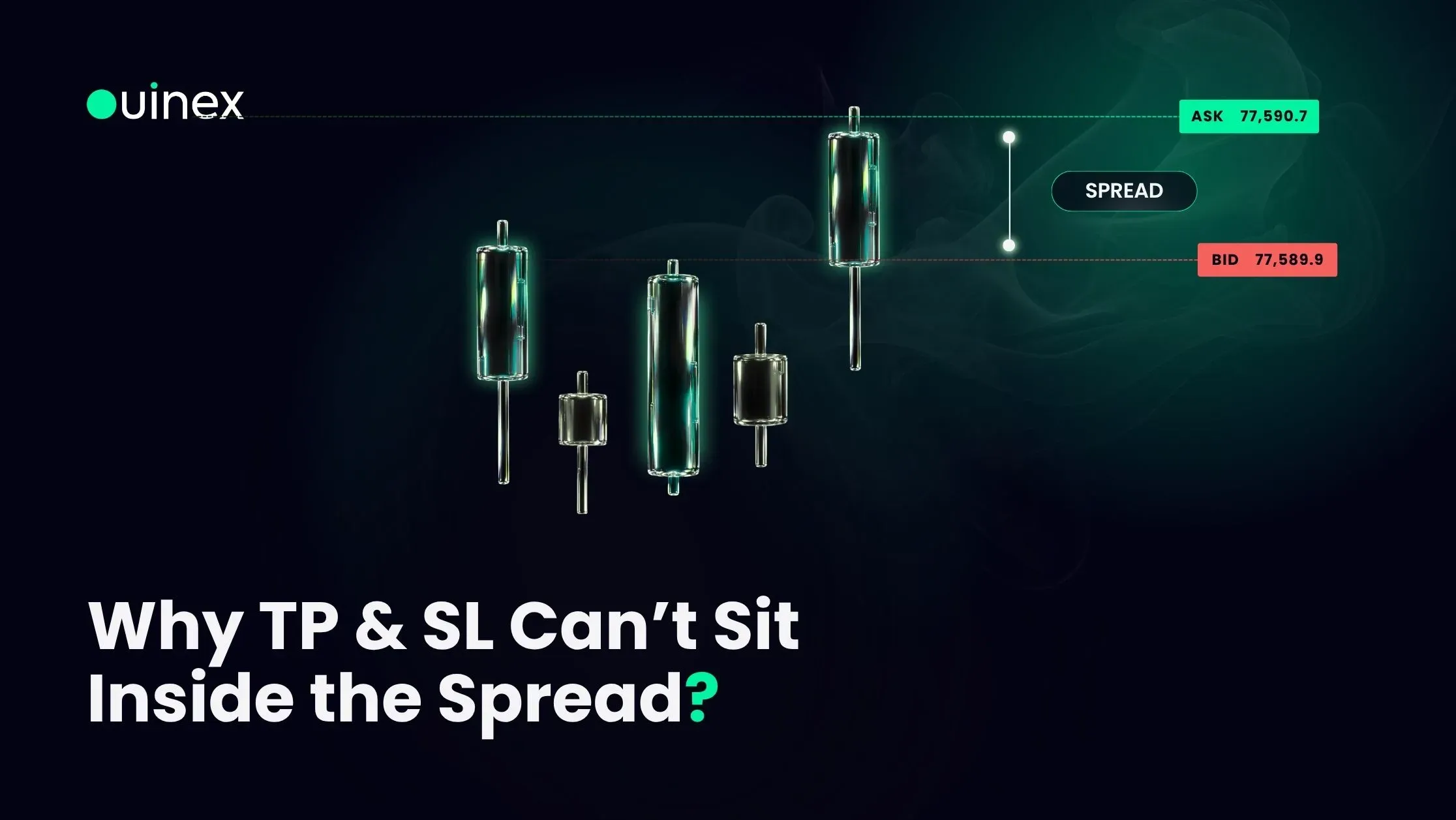
At any moment an instrument has two prices: the bid, where you can sell, and the ask, where you can buy. The gap between them is the spread.
A take profit or stop loss is a resting instruction that waits for the market to reach a level. If that level sits between the bid and the ask, the market has already reached it. The condition is satisfied the instant the order is created.
So the order would trigger immediately on submission. It would not be a take profit; it would be a market order that closed your position the moment you opened it. The platform refuses it, and it is right to.
What changed in 4.35
The behaviour is not new. Orders like this were always rejected. The difference is when you find out.
Before: you set the level, submitted the order, and the server bounced it back with an error. You had committed to a trade and been refused after the fact, with no obvious explanation.
Now: the confirm button is disabled before you can submit, with an explanation attached. The rejection happens in the interface, before the order is ever sent.
That is the entire change, and it is a better design for the same rule: tell the user at the point of the mistake rather than after it.
The fix
Move the slider slightly further from the current price.
How far is "slightly" depends on the instrument, because the spread does. A major forex pair has a very tight spread and the level only needs to clear it by a fraction. A thinly traded instrument, or any instrument during a quiet session, can have a spread wide enough that a level which looks well clear is still inside it.
If a level keeps refusing to accept, check the spread on that instrument rather than nudging the slider repeatedly. Trading hours matter here, spreads widen outside the main session for an asset class, and a level that was fine at 15:00 may be inside the spread at 02:00.
The related case
There is a second, separate reason an order can be refused on price: sitting too far from the market rather than too close. Ouinex enforces both a minimum and a maximum distance, configured per instrument. That one is covered in why an order can be rejected on price.
Same family of control, opposite end of the range.
FAQ
Why is the confirm button disabled when I set my take profit or stop loss? Because the level sits inside the bid-ask spread, which means it would trigger the moment the order was submitted. Move the level slightly further from the current market price and the button will enable.
Can I set a take profit inside the spread on Ouinex? No. A level inside the spread has already been reached, so the order would execute instantly rather than resting as a target. The interface prevents it before submission rather than rejecting it afterwards.
Why did this work before and not now? It did not work before either, the order was rejected after submission instead of being blocked beforehand. Ouinex 4.35 moved the check into the interface so the reason is visible at the point you set the level.
How far from the price does my stop loss need to be? Far enough to clear the current spread on that instrument, which varies by market and by session. Spreads widen outside an asset class's main trading session, so a distance that works in peak hours may not work overnight.
The bottom line
A disabled confirm button on a TP or SL is the platform telling you the level would fire instantly. Nudge it further out and it will submit. If it keeps refusing, the spread is wider than it looks. Check the session before you check the setting. Full exit-management documentation is in the multi take profit and stop loss guide.