The reason this exists is not convenience. It is that two independent orders on the same position create a real hazard, the leftover order. Your stop fills, your position closes, and the take profit is still live at a level you no longer have a position for. If it fills later, you are not exiting a trade. You are opening a new one, in the opposite direction, by accident. OCO makes that impossible. It is now available on Ouinex derivatives.
Watch the walkthrough: How to Use OCO Orders on Ouinex
What OCO stands for and what it does
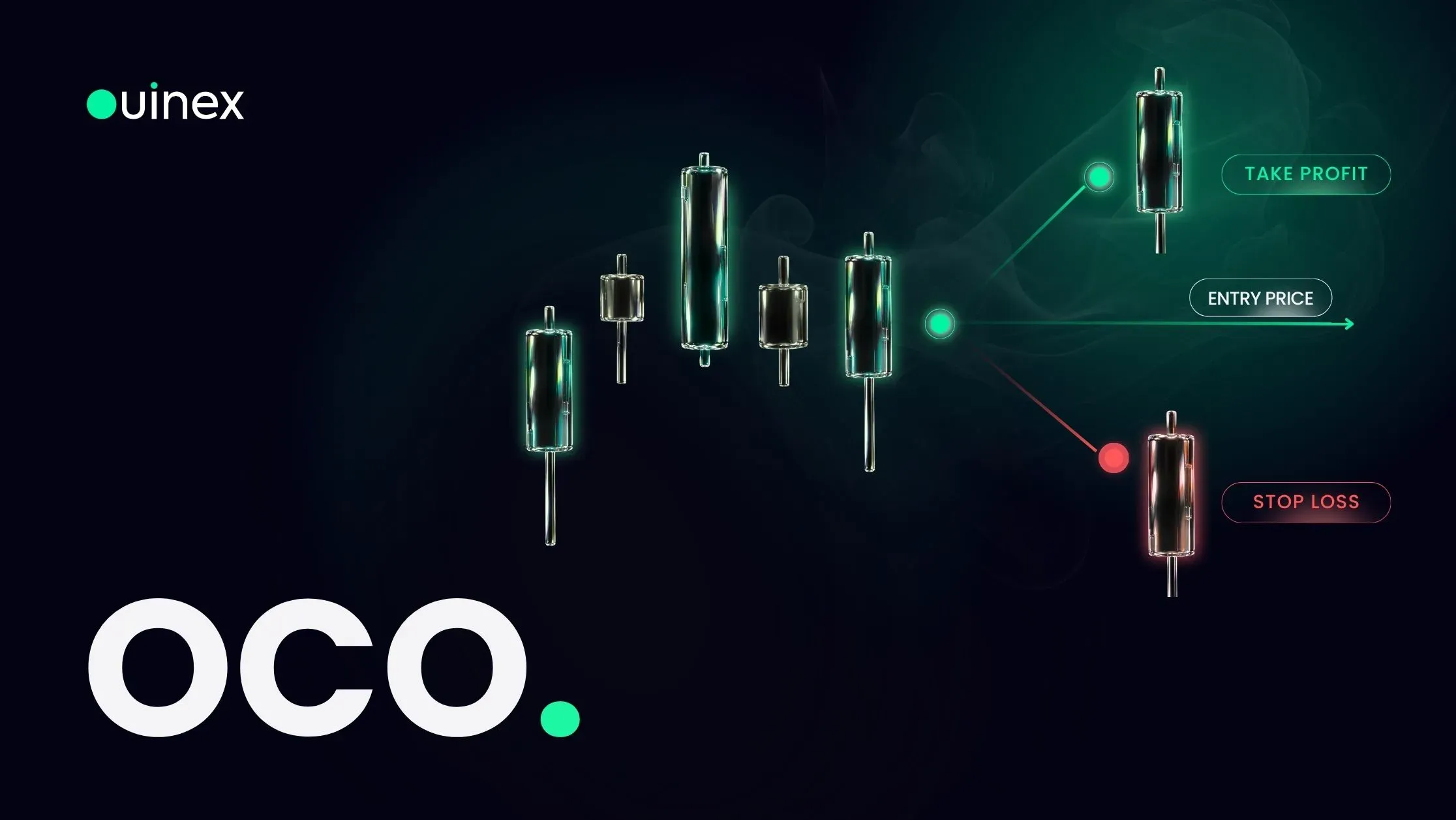
OCO stands for One-Cancels-the-Other. You submit two conditional orders in a single ticket:
- One on your take profit side, with its own trigger price
- One on your stop loss side, with its own trigger price
They sit dormant. When the market reaches either trigger, that order executes and the exchange cancels the other automatically. Not as a courtesy, but as part of the order type.
Both sides bracket the same quantity, which is the other half of the protection. You are not going to end up double-filled with twice the size you meant to trade.
The problem it solves, stated plainly
Place a take profit and a stop loss as two separate orders and you now have a housekeeping obligation. If one fills, you must cancel the other. If you are asleep, travelling, at work, or simply looking at a different chart, you will not.
The outcome ranges from harmless to expensive. Harmless: your stop fills, the market never returns to your take-profit level, and the stale order expires or gets cancelled when you notice. Expensive: your stop fills on a spike, price recovers, your take-profit order triggers into an empty account and opens a fresh position on the wrong side of the market, a position you did not choose, did not size, and are not watching.
OCO removes the obligation rather than reminding you to meet it. That is a better class of solution than discipline.
Setting up an OCO order on Ouinex
OCO is in the order type menu at the top of the trade form.
- Choose Long or Short.
- Enter your Quantity and set your leverage.
- On the TP side, set the trigger price, then choose whether it fires as a Market or Limit order once triggered.
- On the SL side, set its trigger price and its order type.
- Confirm.
The market-or-limit choice on each side deserves a moment's thought, because the right answer is usually different for each.
On the stop side, market is normally correct. The purpose of a stop is to be out. A stop limit protects your price and will not fill at all if the market runs past your limit, which is precisely the scenario the stop exists for. A stop limit that does not fill during a fast move leaves you in a losing position with no protection, which is worse than a poor fill.
On the take-profit side, limit is normally correct. A target has no urgency. If the market reaches your level, you are happy to be filled there or better, and you lose nothing by not being filled at all. You simply stay in a winning trade.
Once confirmed, the order appears in the Algo tab at the bottom of the screen with the contract, side, quantity, both order types, both trigger prices and the status. You can open the details or cancel the pair from there.
OCO or multi-level TP/SL?
Ouinex 4.35 introduced both, and they overlap enough to be worth separating.
OCO is one pair, all-or-nothing. One target, one stop, full quantity on each. When one side fires, the trade is over.
Multi take profit and stop loss is a ladder. Up to five take-profit levels and five stop-loss levels, each with its own price and quantity, so you can close 50% at the first target, 25% at the second, and leave the rest running.
Use OCO when your plan is genuinely binary, this level or that level, and either way you are flat. Use the multi-level configuration when you intend to scale out. Neither is more advanced than the other; they answer different questions.
What OCO does not do
It does not choose your levels, and it does not improve them. A target and a stop placed at arbitrary distances are still arbitrary when they are linked.
It also does not control your fill price on the market side. A stop set to fire as a market order triggers at your level and fills at the next available price, which in a fast market or across a weekend gap can sit well away from the trigger. OCO controls the cancellation. It does not control the fill price.
And it is not a substitute for position sizing. The most common way an OCO trade goes wrong is not the order type failing. It is the stop being placed at a distance the account cannot afford, which is a risk management question decided before the ticket is opened.
FAQ
What does OCO mean in trading? One-Cancels-the-Other. It is an order type that links two orders so that the execution of either one automatically cancels the other, most commonly used to bracket a position with a take profit and a stop loss in a single step.
What happens if both OCO trigger prices are hit at once? Only one side can execute. The exchange processes the first trigger and cancels the other order as part of the same action, so you cannot be filled on both sides and cannot end up with an unintended reversed position.
Can I use an OCO order to enter a trade, not just exit one? The OCO ticket on Ouinex brackets a quantity with a take-profit side and a stop-loss side, which makes it an exit structure. If you want an entry that automatically places a follow-up order once it fills, that is an OTO order, One-Triggers-the-Other.
Should the stop side be a market or a limit order? Market, in most cases. A stop exists to close the position, and a stop limit can fail to fill precisely during the fast move it was meant to protect against. Limit is the more natural choice on the take-profit side, where not filling simply means staying in a profitable trade.
Can I cancel one side of an OCO order? The pair is managed as a unit in the Algo tab. Cancelling removes the structure. If you want to keep one leg only, cancel the OCO and place that leg as a standalone order.
The bottom line
OCO is the cheapest risk control on the platform, because it costs nothing and removes an entire category of mistake. Set the stop side to market so it actually closes you, set the take-profit side to limit so you control the price you are happy with, and put both on at the same time as the trade rather than promising yourself you will do it later. The order type will not tell you where the levels belong, that is still your decision, but it will make sure the one you do not need disappears. OCO is live now alongside the rest of the order types on Ouinex.