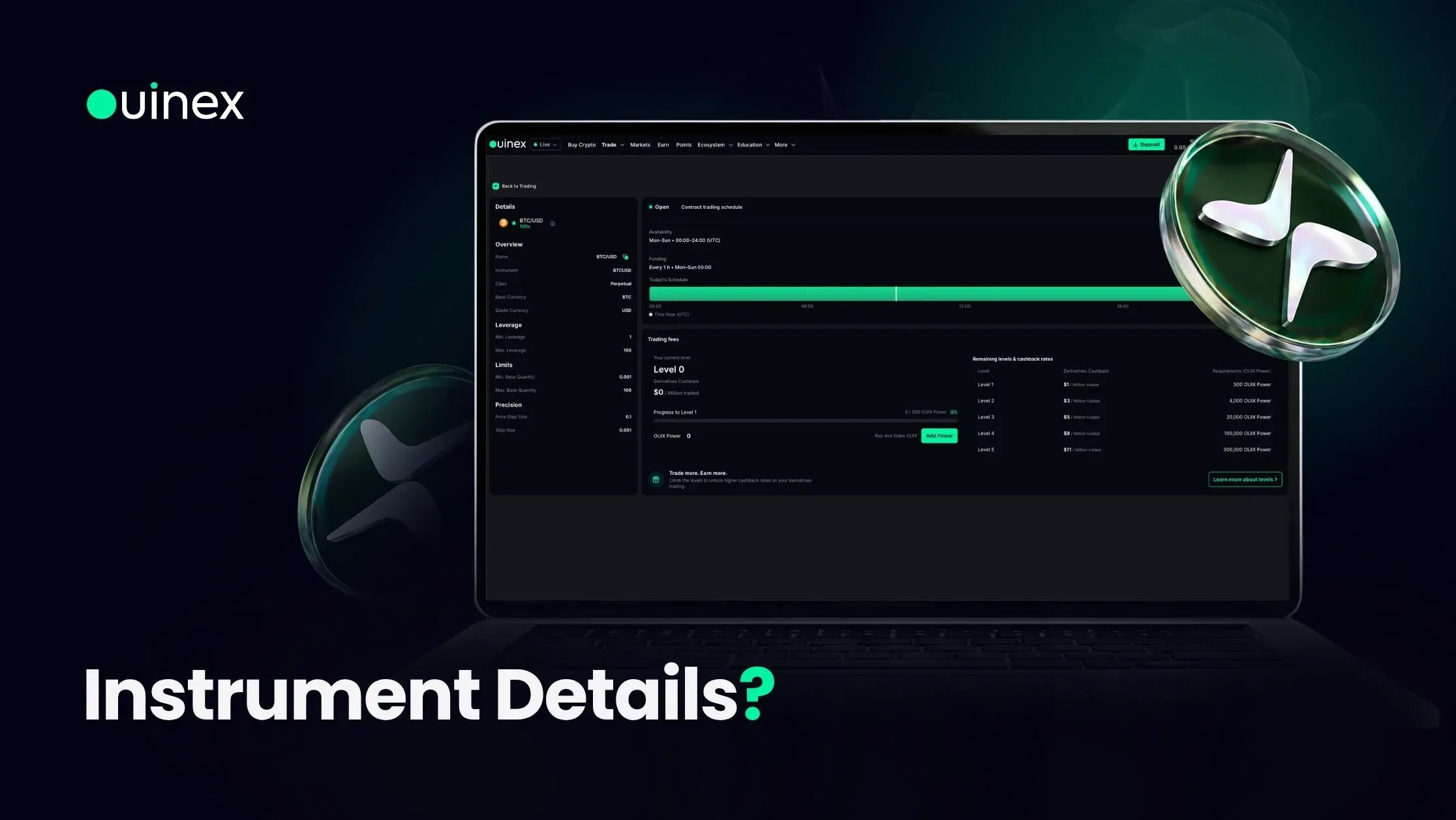
It replaces the thing most traders do instead, which is guess, or find out from a rejected order. Every constraint that can cause an order to fail is on one page, and it takes one click to get there.
Watch the walkthrough: How to View Instrument Details on Ouinex
What is on the page
Overview, on the left, carries the identification: the instrument name, its ticker, its class, and the base and quote currencies.
Leverage shows the minimum and maximum available on this specific instrument. These vary by market, and the maximum on a major forex pair is a different number from the maximum on a newly listed token.
Limits gives the minimum and maximum quantity you can trade. Precision gives the price step size and the lot size, the increments the instrument actually accepts.
Precision is the quiet one that causes problems. An order at a price the instrument does not support in that increment will not be accepted, and the resulting error rarely says "your price has too many decimal places". The step size on this page is the answer.
Market status, at the top right, shows whether the market is currently open, the full availability schedule, and funding times. The Today's Schedule bar draws the trading window with the current time marked on it, so you can see at a glance whether you are inside the session or how long until it opens.
This matters more for traditional markets than for crypto. Crypto perpetuals run continuously; forex, indices and commodities do not, and each has its own schedule. The full trading hours page covers every market's timetable, but this panel answers the question for the instrument actually in front of you.
The trading fees section
The lower right of the page shows your own position rather than a generic rate card: your current level, your derivatives cashback rate, and your OUIX Power, with a progress bar showing how far you are from the next level. Below that, the remaining levels and their cashback rates are listed, so you can see what each level unlocks.
Add Power opens the buy-and-stake flow directly, if you want to move up a level without waiting.
Two points of framing worth being clear about. OUIX Power is an ecosystem utility mechanism, it determines your access to fee reductions, cashback rates and eligibility within the platform. It is not an investment product, and the level system describes participation rights rather than any expected value. Ouinex makes no representation about the price of $OUIX at any level. If you want the mechanics in full, the OUIX Power guide covers the formula and the tiers.
Second: the cashback rate shown here is specific to derivatives. The fees page carries the complete structure, including the zero-commission markets, forex, stock indices and commodities, where you pay the spread and nothing else, and the rates that apply elsewhere.
Using it before you place an order
The panel is most useful as a pre-trade check on an instrument you have not traded before. Three things to read, in order:
- Is the market open? The Today's Schedule bar tells you immediately, and it removes the most common cause of an order that appears to do nothing.
- What leverage is available here? The maximum is instrument-specific. Assuming the leverage you use elsewhere is available here is how a position ends up sized differently from the plan.
- What are the limits and the precision? Minimum quantity, maximum quantity, price step, lot size. These are the constraints that turn into rejections.
Thirty seconds on this page is a reliable way to avoid an order being rejected on price or quantity.
FAQ
How do I see the details of an instrument on Ouinex? Click the eye icon next to the instrument name on the chart. It shows the trading hours immediately and opens the full details page, covering the overview, leverage range, quantity limits, price precision, schedule and your own fee position.
Where do I find the maximum leverage for a specific instrument? In the Leverage section of that instrument's details page. Minimum and maximum leverage are set per instrument and differ between markets.
How do I know if a market is open right now? The market status at the top right of the instrument details page shows whether it is open, along with the full availability schedule. The Today's Schedule bar draws the trading window with the current time marked live.
What is the price step size? The smallest increment the instrument accepts for a price. An order priced at an increment the instrument does not support will not be accepted, so the step size is worth checking before placing a precise limit order.
What does the trading fees section on the instrument page show? Your current level, your derivatives cashback rate and your OUIX Power, with a progress bar to the next level and a list of the remaining levels and their cashback rates. The complete fee structure for all markets is on the fees page.
The bottom line
The instrument details page collects every constraint that can cause an order to behave unexpectedly into one view, and puts it one click from the chart. Use it as a pre-trade check on any market you have not traded before, open, leverage, limits, precision, and it will save you more time than it costs. It is live now on every instrument across Ouinex.